Everyone
you meet.
Everything
you do next.
Meet relevant professionals, share your digital card and remember everyone you meet. Keep the next step in Connect, or manage your team’s sales in the separate CRM.
- 5 cards live, free
- No app needed to receive a card
- Your private address book stays yours
Inside ObjectiveDone Connect
Your network. In your pocket.
The screenshots from our Google Play listing: your cards, contacts, conversations and next steps.
The problem
The introduction is not the part that fails.
A business card carries a name and a number, and the two of you were never talking about a name and a number.
His name, and how it is actually spelled
Three weeks laterA surname you now spell two ways
The company, and what it actually does
Three weeks laterThe logo. Not the sentence he said about it
The fund closes in October
Three weeks later
The fund closes in Octobernothing keptHis co-founder runs the logistics side
Three weeks later
His co-founder runs the logistics sidenothing keptThat you said you'd send the deck by Friday
Three weeks laterThe deck, sent on the ninth day
Nothing here was lost because anybody was careless. It was lost because remembering was a second job — done later, from memory, by hand.
Connect
The record gets made in the room, not from a pocket of cards on Sunday.
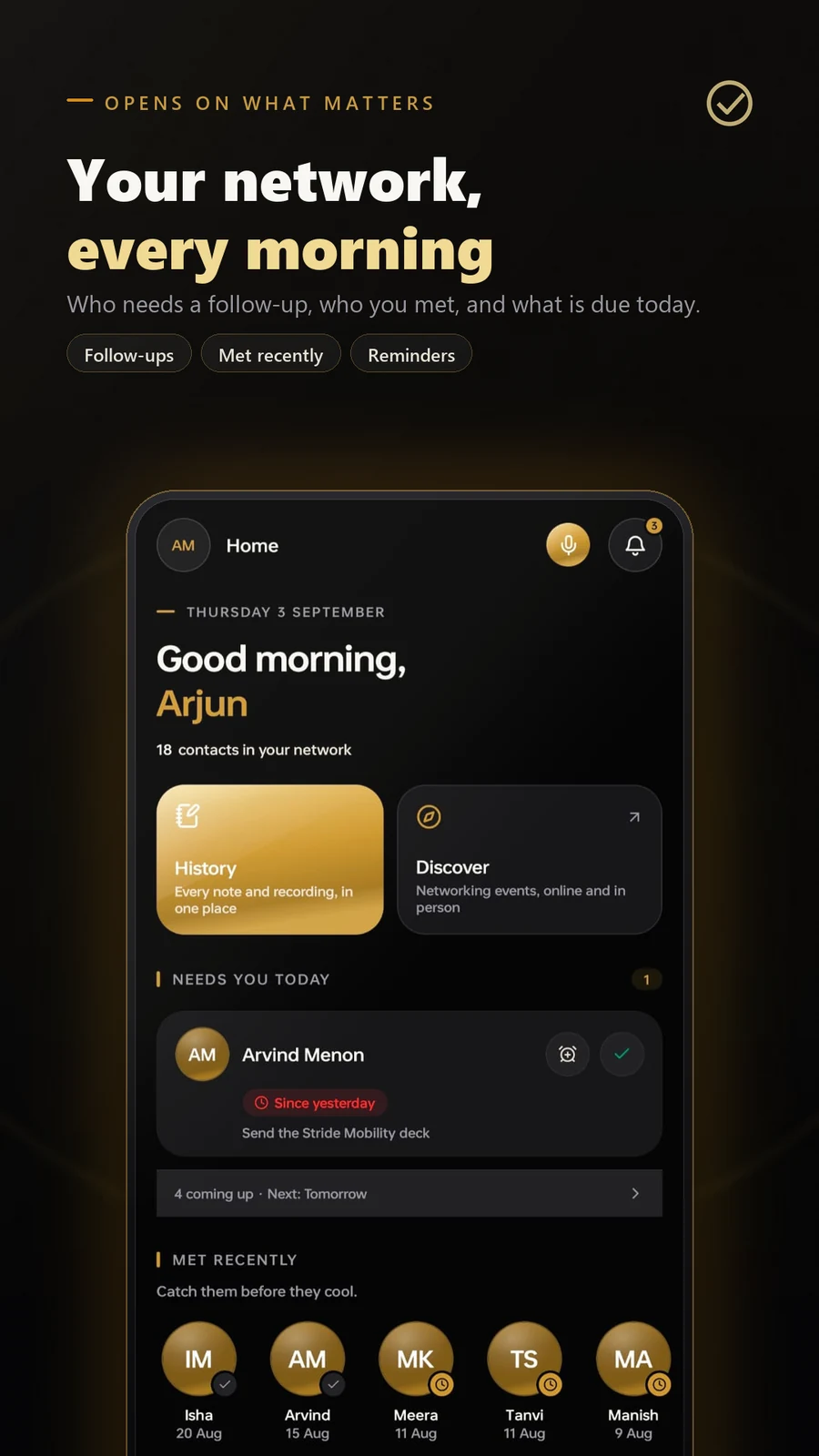
Five things, in the order they actually happen. Every frame is a real capture from the build — the names and numbers in them are seeded demo data, the screens are not.
Hand it over
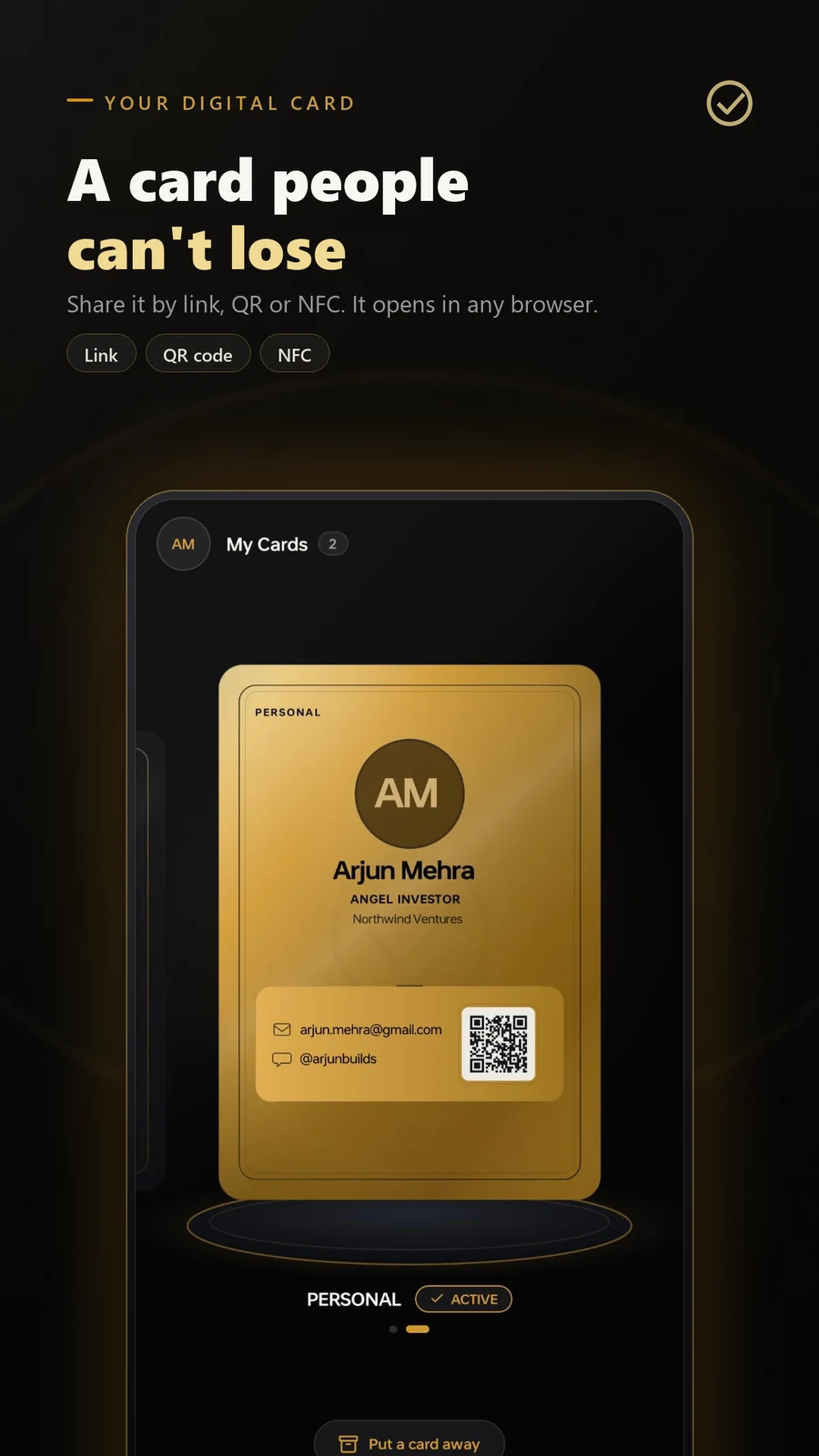
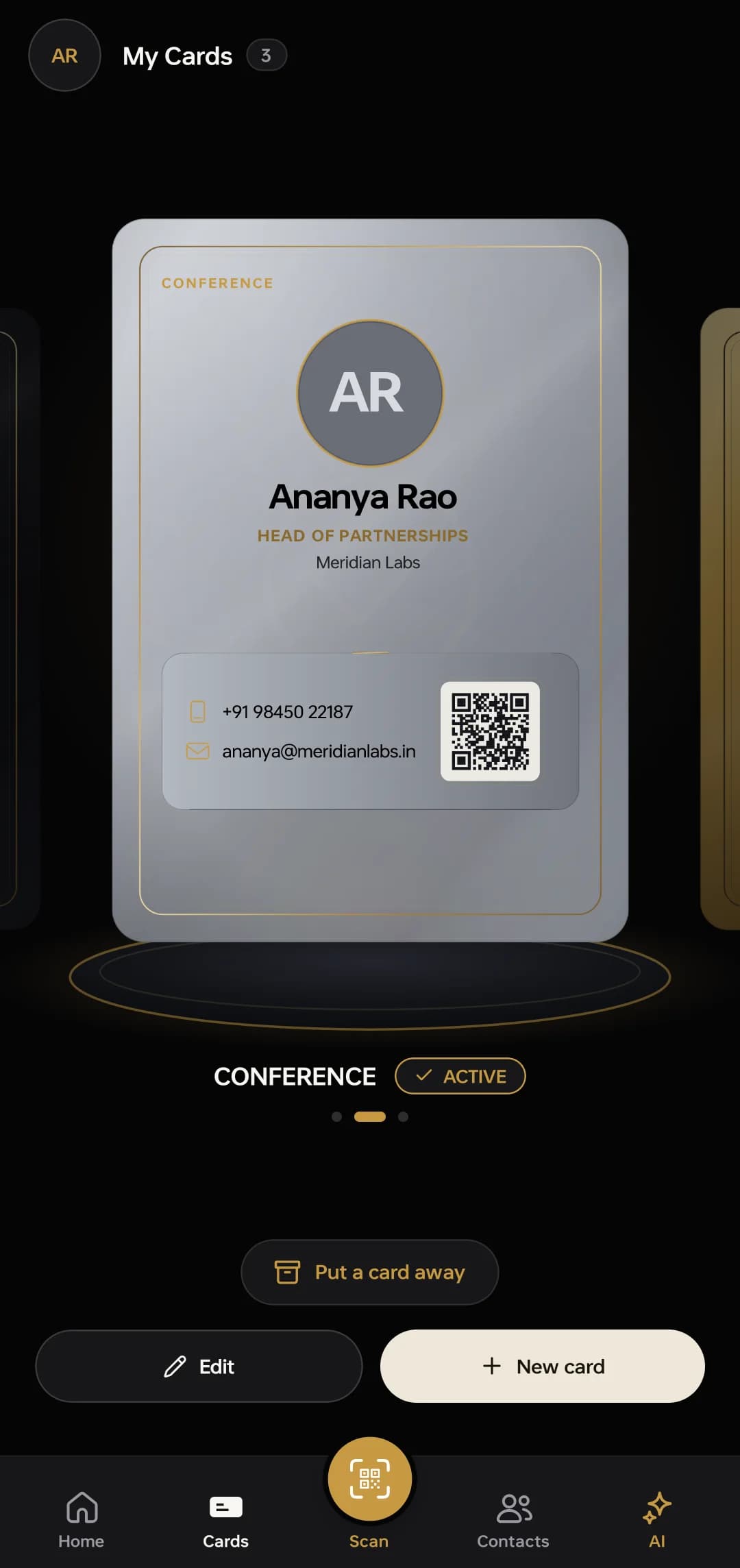
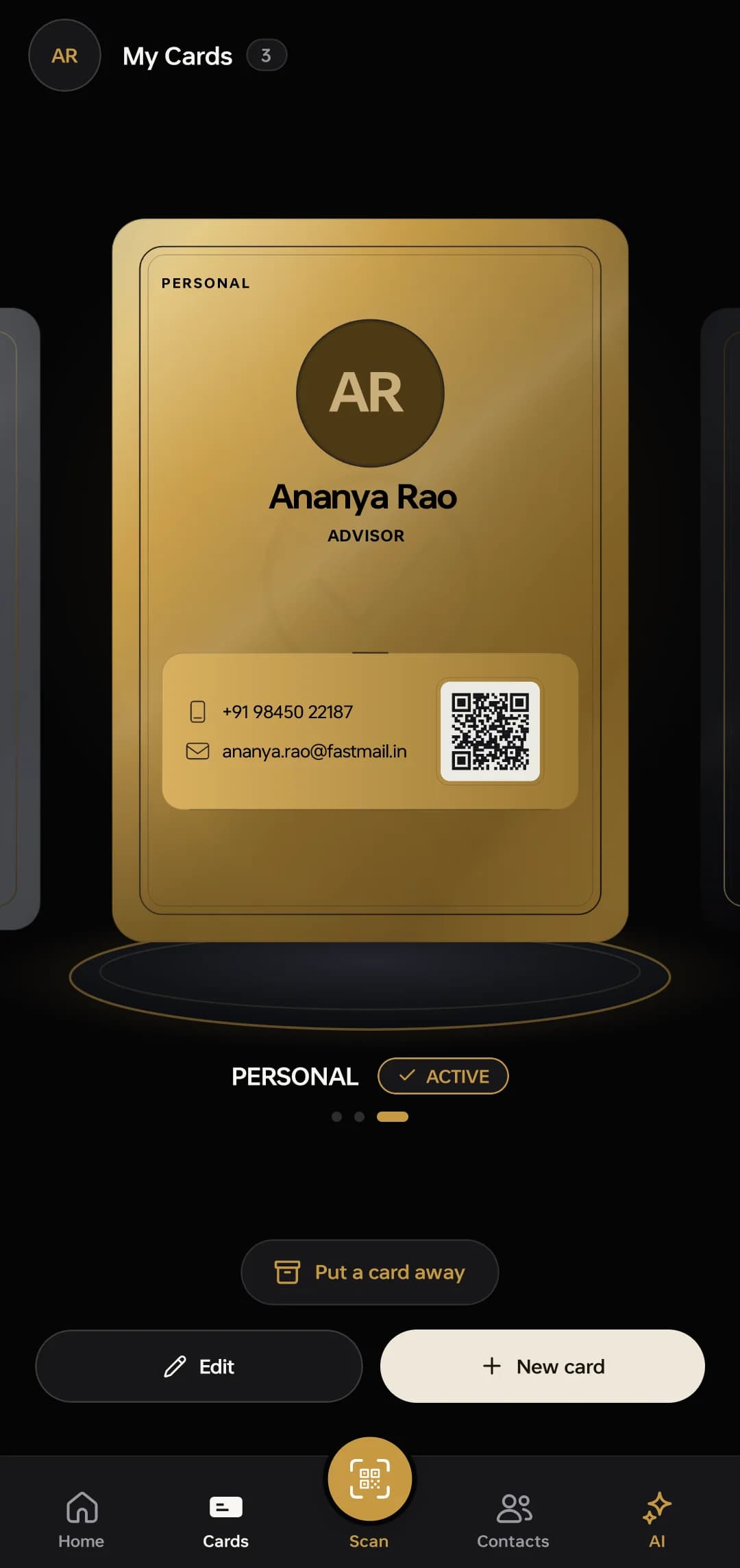
One card, shared by QR, link or a tap. It always shows the current you — change your title once and every card you have ever handed out is already right.
Connect · the card, in the work material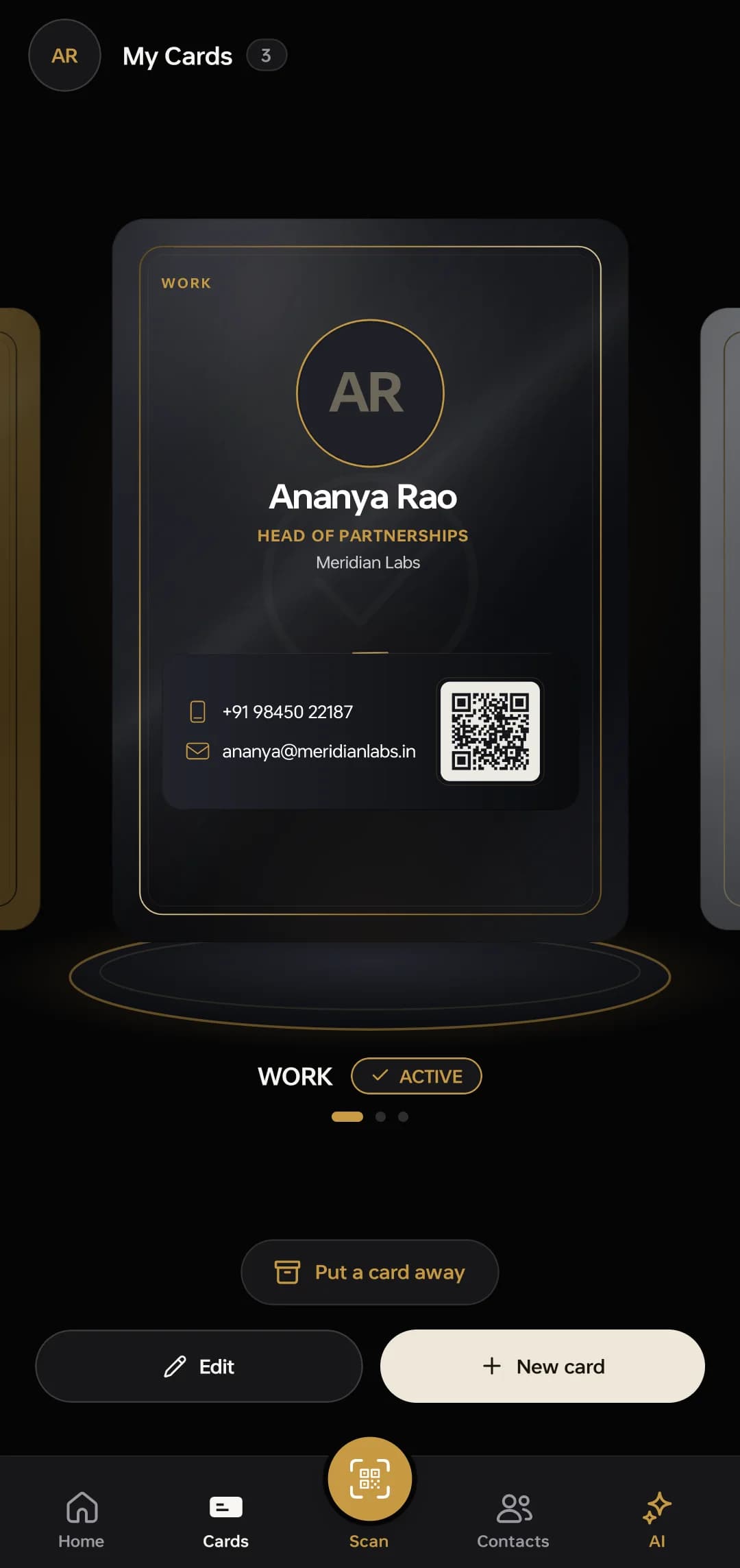
Read the one they hand you
Photograph a paper card and it comes back as a proper contact. It lands in the editor first, so nothing is saved behind your back.
Connect · the scanner, QR or paper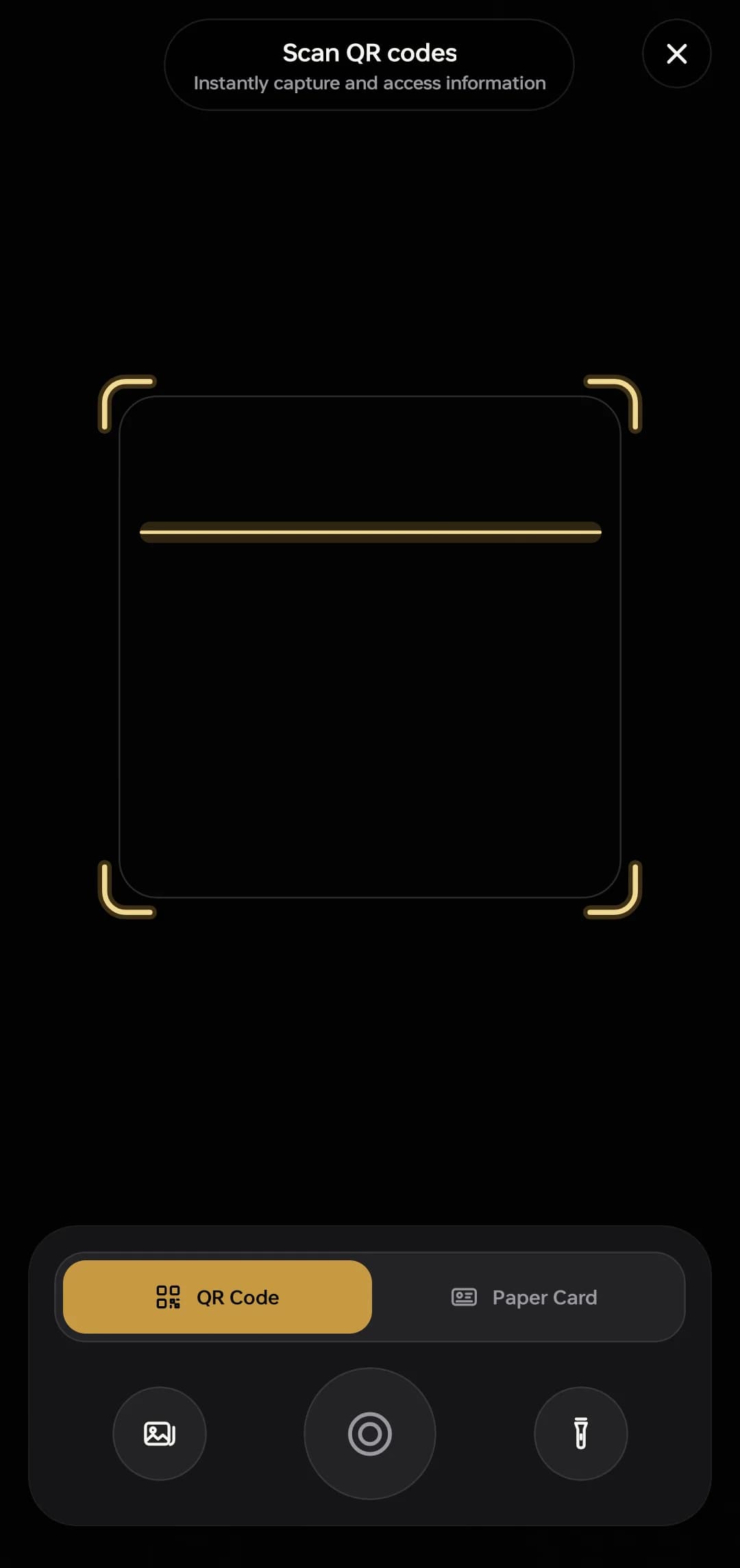
Find them again in a second
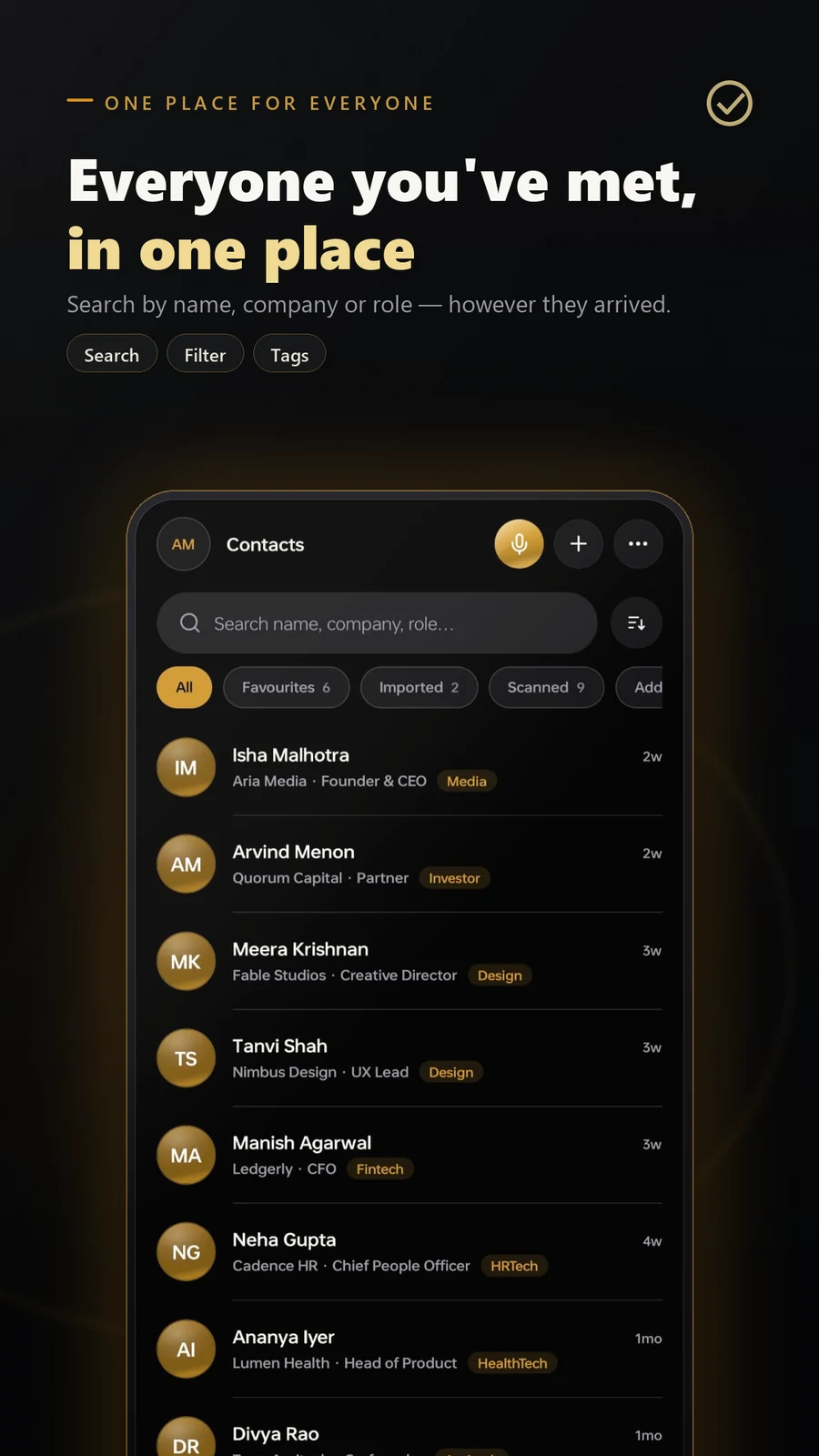
Everyone you have ever met, in one list, filtered by how you met them and tagged in your own words rather than somebody else’s categories.
Connect · everyone, filtered and tagged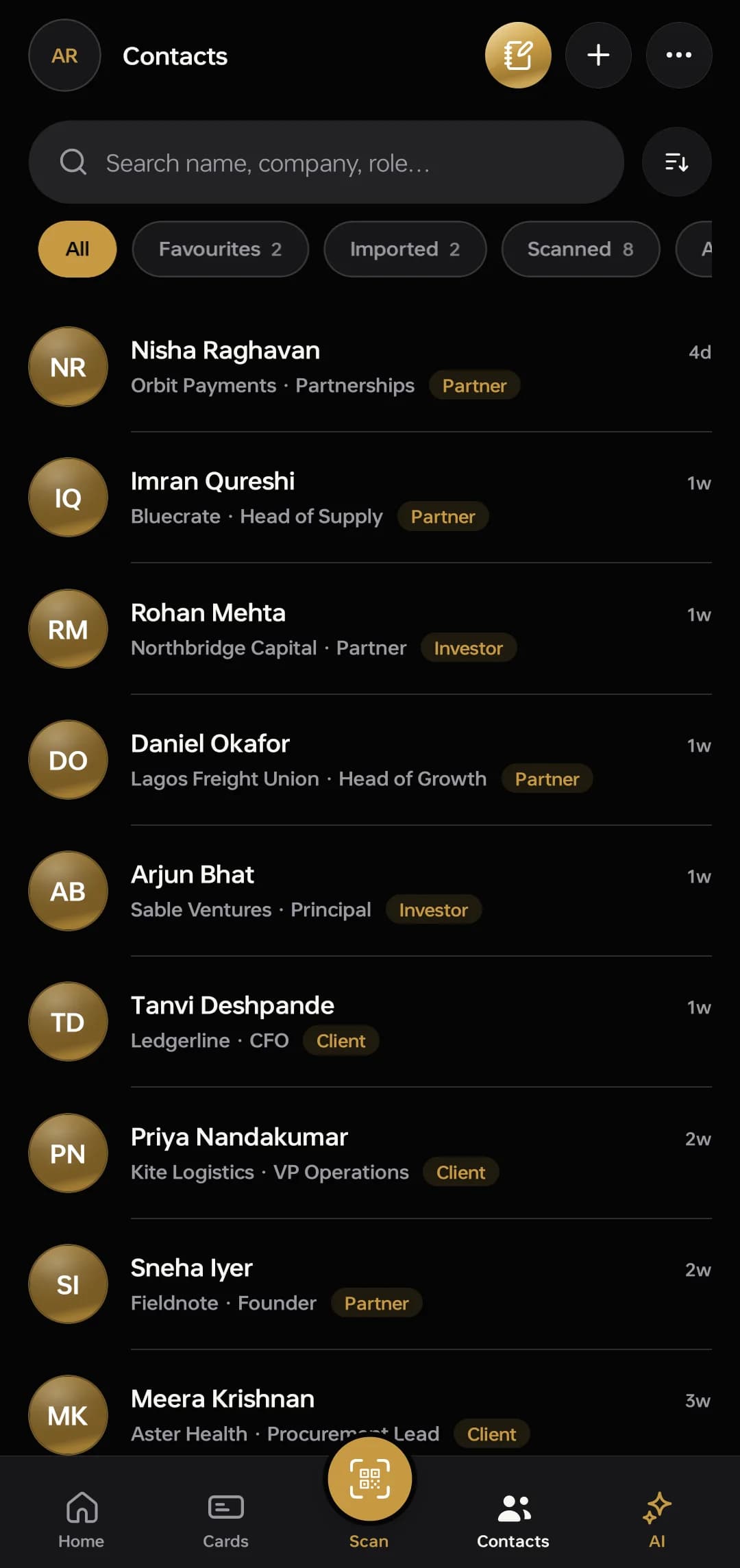
Keep what was said, and what you owe
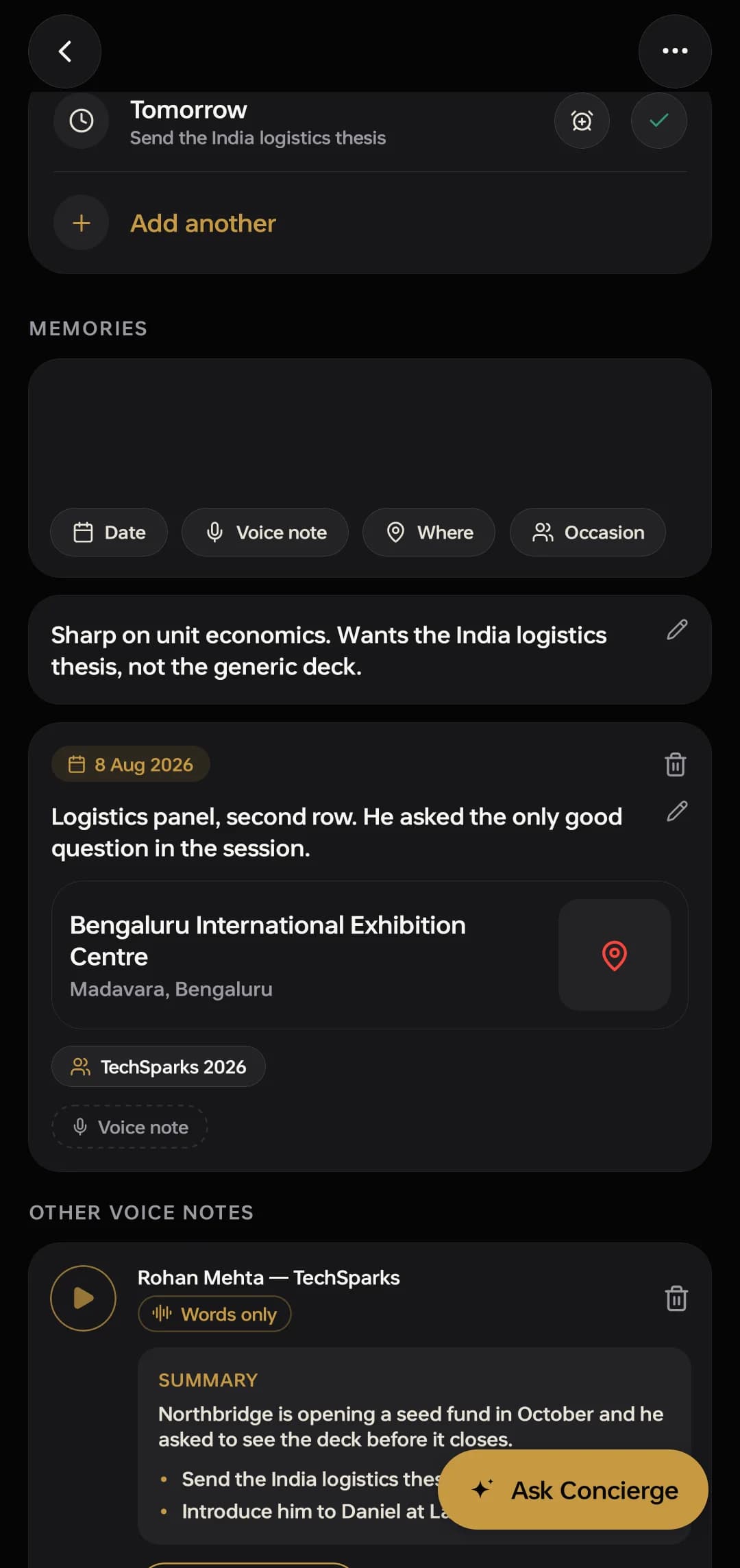
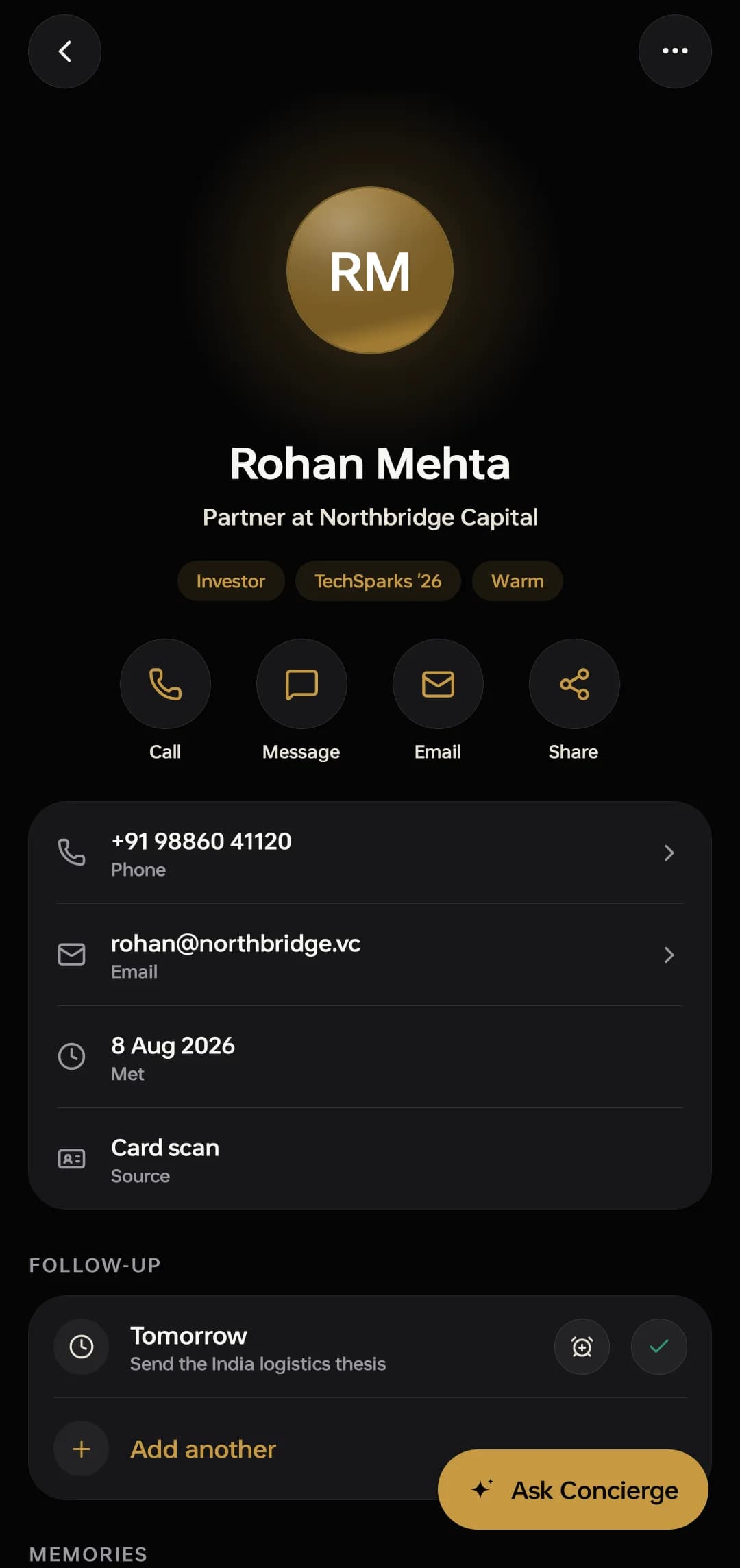
Record a voice memo on the walk back and it becomes text you can search months later, with a summary, the things you said you would do, and a reminder sitting on the person it belongs to.
Connect · the memo, turned into a summary and next stepsAsk your own records
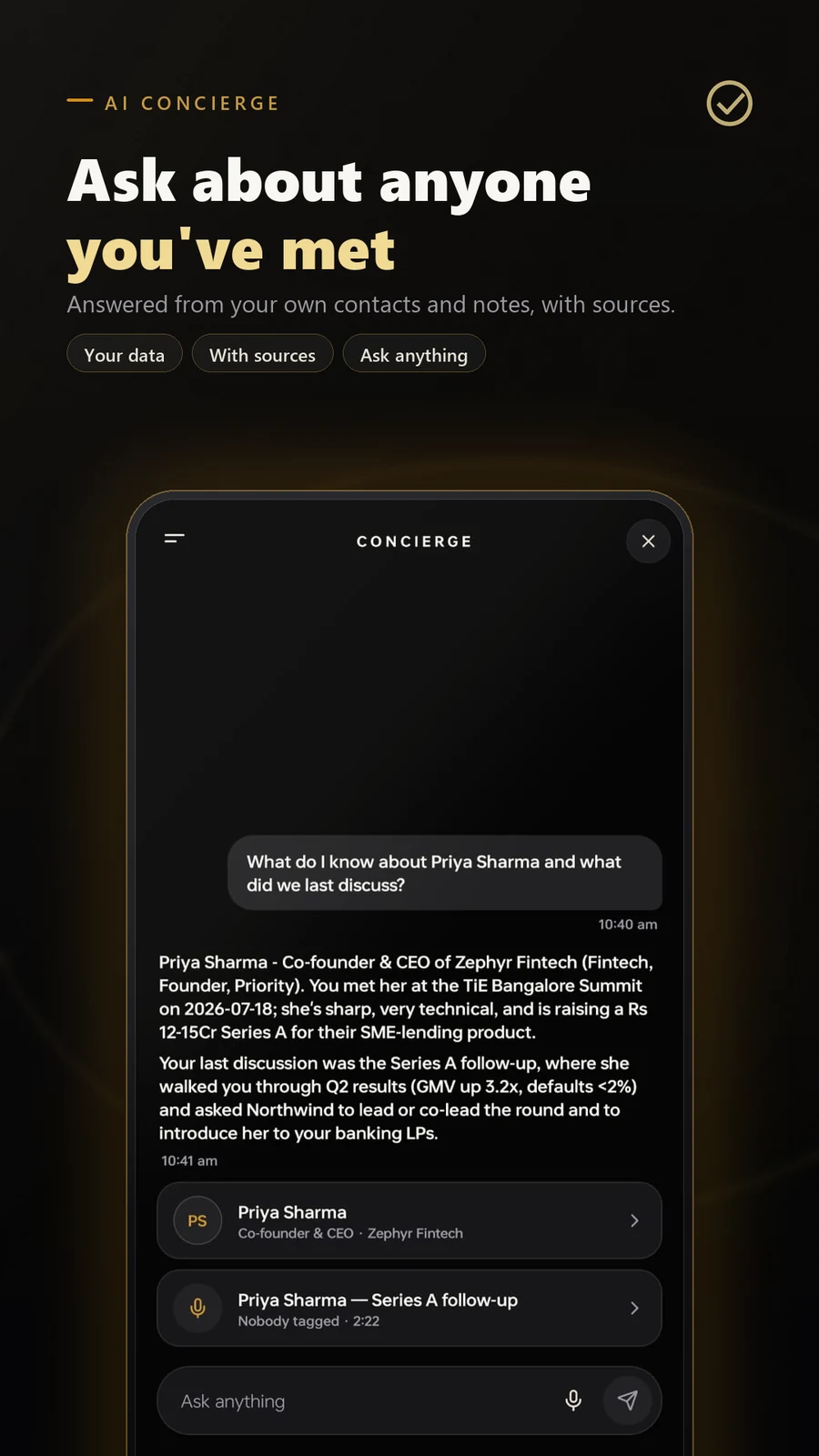
It answers from your contacts, your notes and your memos, cites the records it used, and when nothing was recorded it says so instead of inventing someone.
Connect · the Concierge, citing the records it used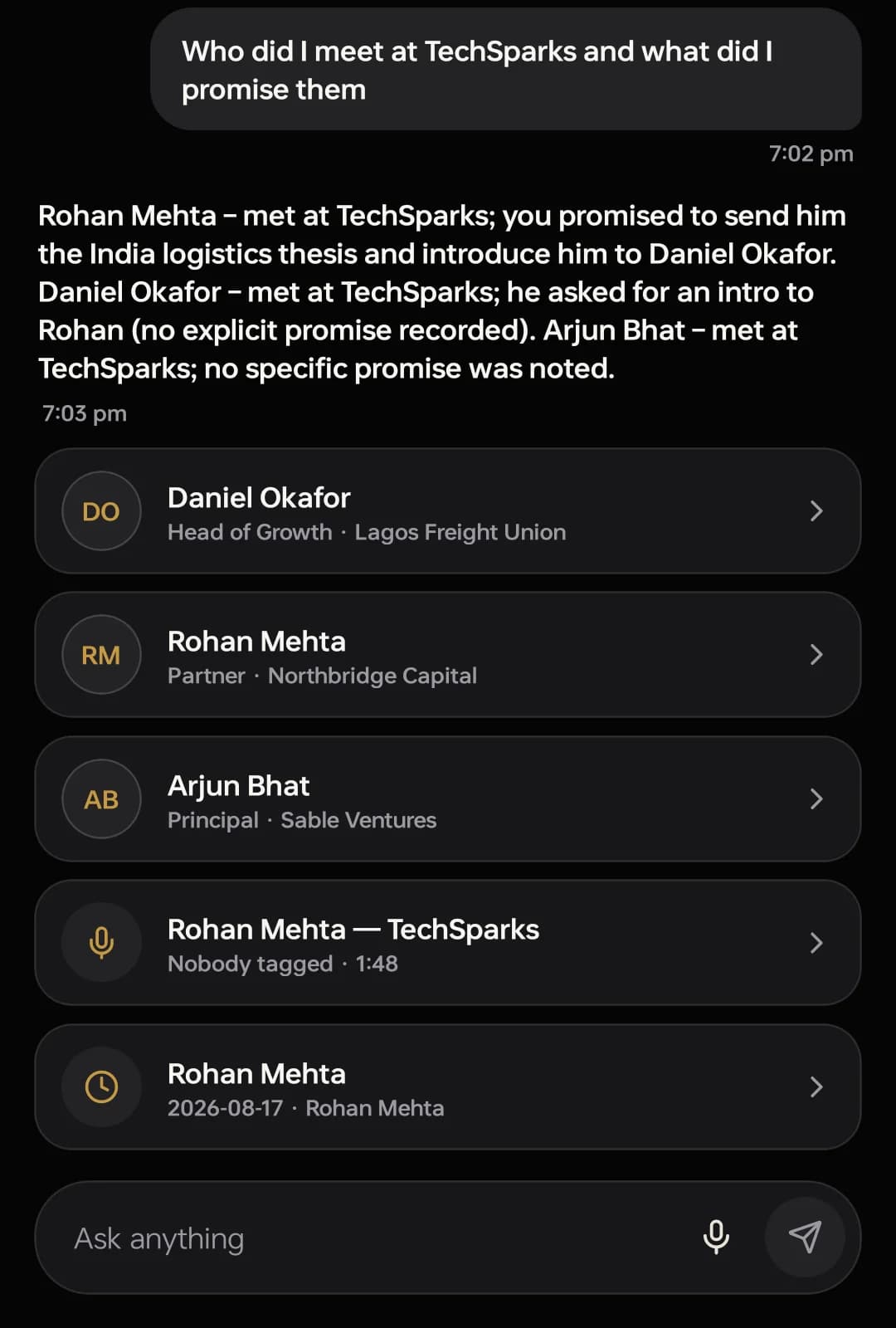
The CRM
Every lead called. Every call counted.
For companies that sell by phone: leads land on boards, callers work them from their phones, and Managers see every call and result. Sold to companies, separately from Connect.
Live, for companies. Start a workspace on the web with 14 days free; your Admin invites the team, and everyone works from the browser or the phone app.
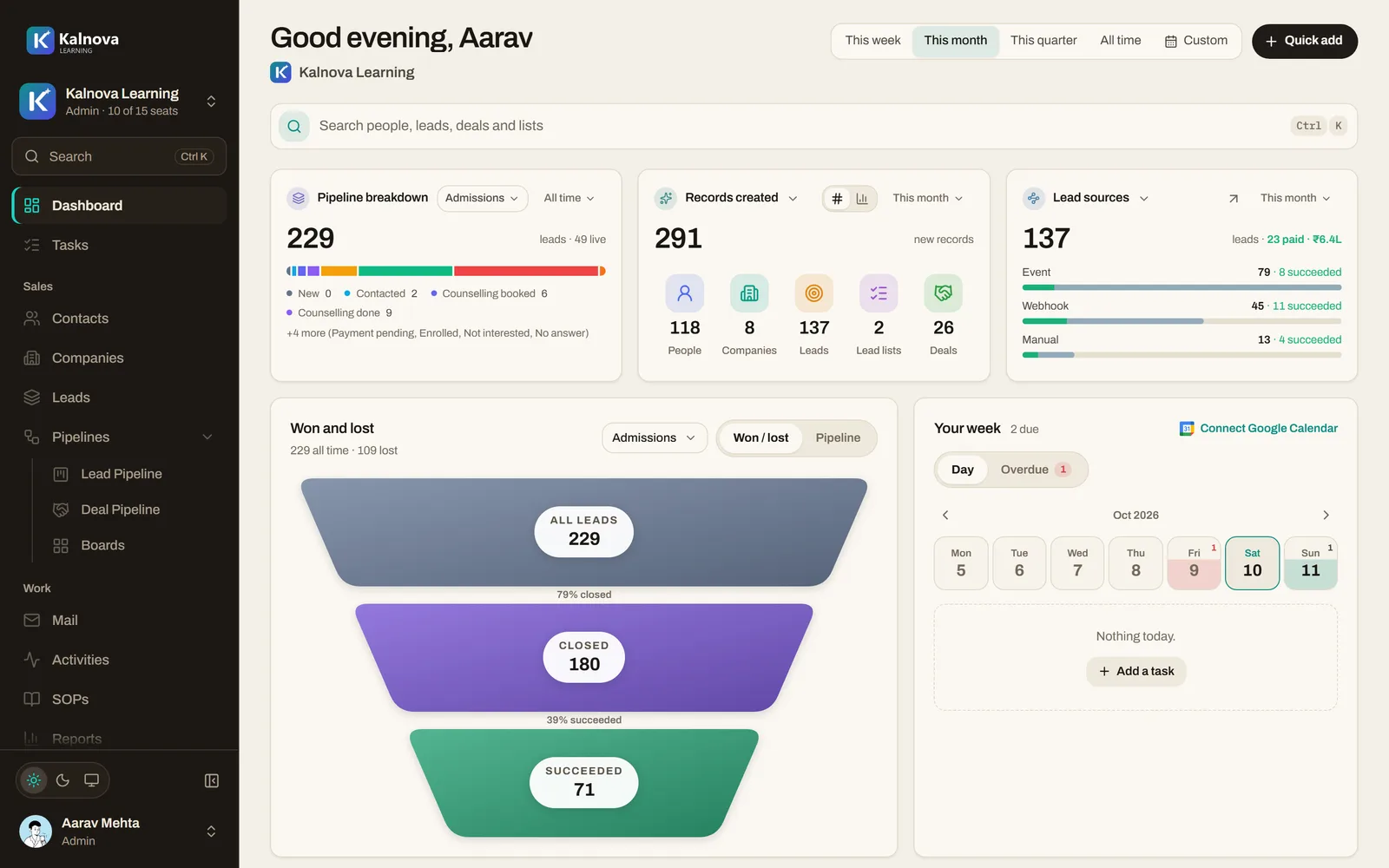
- The calling loop. A list lands on a caller’s phone, they call, say what happened, and the next lead is on top. Every result is on the record for the Manager.
- Three roles. Admins set the company up, Managers hand out the work and read the numbers, Callers see the leads given to them.
- Leads from anywhere. A spreadsheet, a website form, an ad or Pabbly through a capture link, or a contact sent across from Connect.
For companies only
- Who it is for
- Companies and their teams. It is not sold for personal use.
- How to start
- Your company’s name, and a work email at its domain or its GSTIN. 14 days free, no card.
- What it costs
- From ₹999 a month per workspace. The phone app is included and sells nothing.
The ecosystem · one sign-in, two products
Your address book.
Your choice to share.
And then it is copied, never moved — the original stays in your address book. Your private address book, notes and recordings are separate from the account and own-card details used by our authorized team for membership support.
for you
Connect
Your digital cards and private address book. Share selected contacts with a CRM you belong to; private notes and recordings are not copied into our membership CRM.
What Connect doesfor your team
The CRM
The record the whole team works from. The contact, the note and the follow-up that arrived from Connect, current on every phone that has a seat.
What the CRM doesOKR coming soon
Counts the events the other products already emit, instead of asking anyone to keep a number up to date.
Sharing a sign-in is a convenience, not a bundle: a Connect plan does not include the CRM, and a CRM seat does not include Connect.
Pricing
Choose your Connect plan.
Cards, contacts and reminders stay free. Eligible new members receive a 14-day Premium trial after approval and required checks. Review current prices, allowances and purchase terms in the app; purchases are optional and completed inside it.
| What is being compared | Free ₹0forever The whole card, the whole address book, and no clock on any of it. Get the free appNot a trial. It does not expire and it never asks for a card. | Premium ₹7,777/ 6 months Google Play India: ₹7,777 for 6 months or ₹14,999 for 1 year. Both plans include the same Premium features. Eligible members receive a 14-day Premium trial, including Premium AI tools, once their profile is approved and the required identity checks are complete. Get ConnectBuy in the Android app through Google Play. Review the final price, taxes, payment eligibility and renewal terms before confirming. Manage your purchase in Google Play. |
|---|---|---|
| Networking requests | Eligible discovery; trial access where available | Open and respond to incoming requests, subject to eligibility |
| Cards live at a time | Five | Five, the same |
| Reading a paper card | Daily allowance | Additional AI allowance shown in the app |
| One recording | 60 seconds | 2 hours |
| Recordings kept | 60 minutes | No limit on what is kept |
| Turning a memo into text | Not included | Uses AI credits; includes summaries and action items |
| The AI Concierge | Not included | Uses AI credits across your saved contacts |
Cards, contacts, imports and reminders remain free within the limits shown above. Your 14-day Premium trial starts after profile approval and required identity checks; waiting for approval does not use trial days. Premium AI tools are included during the trial and require active Premium afterward, with the credit allowance shown in your account. Priority Connect and visibility boosts follow the allowances or credits shown in the app.
Business
Priced with you
Premium for a whole team, billed together. Connect has no seat mechanism in the app, so we set it up with you.
Talk to usThe CRM
From ₹999/ month
A separate product for companies, priced per workspace. Every workspace starts with 14 days free.
See the CRM plansAndroid India prices verified against Google Play: 6 months ₹7,777; 1 year ₹14,999. Google Play confirms the final charge and available payment or renewal options. Prices and offers may differ by region, existing subscription and platform. Check iPhone pricing in the app. The CRM is purchased separately by a company on the web.
ObjectiveDone's CRM is a separate product, sold to companies for their teams, from ₹999 a month per workspace. A Connect plan does not include it and a CRM workspace does not include Connect Premium.
Four questions
Before you trust it with your address book.
The rest are in the manual, alongside how each feature actually works.
Every question, in the manualWho can see my card?
Anyone you give the link to. Every card has a permanent web address, and the QR on the card front is that address, so scanning it, tapping a shared link, or opening the page all show the same card.
You can pause a card from the wallet. A paused card's link stops working until you turn it back on.
This one is real and it is live right now. Open it →
Who else can read my notes?
Nobody. Contacts, notes, voice memos and reminders are private to your account and are protected by the database itself — not by a setting you have to find.
Our support staff can access account data when helping you or investigating abuse, and the privacy policy says exactly what that covers.
What happens when I hit a free limit?
Nothing breaks and nothing is deleted. A sixth card waits until you put one of the five away, card reads reset the next day, and a recording that runs past sixty seconds still saves what it caught.
The free tier is not a trial. It does not expire, and it never asks for a card.
Fivecards live at a timeDailycard-reading allowance60 seca single take60 minof recording keptPremium adds AI allowances and longer recordings. Both tiers keep five cards live at a time.
Is the CRM included?
No. ObjectiveDone's CRM is a separate product, sold to companies for their teams, from ₹999 a month per workspace with 14 days free. Paying for Connect does not include it, and a CRM workspace does not include Connect Premium.
They do share one sign-in, and you can send a contact from Connect to a CRM you belong to; that copies it rather than moving it, and your personal contacts stay personal unless you choose to send one.
Connect · on iPhone and Android
Hand one over.
Keep what was said.
Connect is free on the App Store and Google Play. The card it makes opens in any browser, on any phone, with nothing installed at the other end. The CRM is sold by conversation, and that one starts with an email.
Nobody needs the app to receive a card. You send a link; they open a page.